Part 7: The First Real Mistake — Our Orchestrator Was Invisible on Its Own Dashboard
60-second video version of this part.
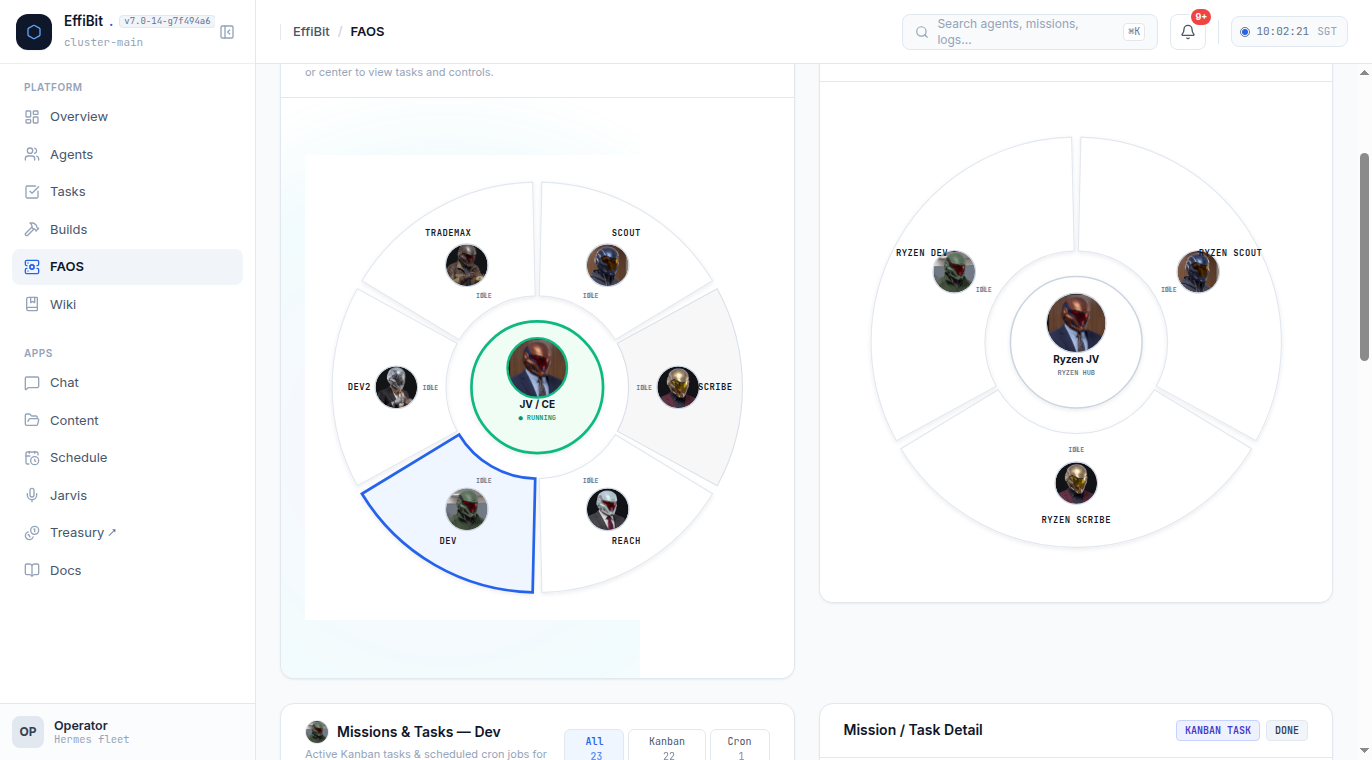
Every series needs its first real mistake. Here is ours, from 2026-09-25.
The symptom
I opened the fleet's status view. The specialists showed real task counts and load. The orchestrator, the agent doing the most work in the fleet (delegating, tracking missions, fixing things directly), showed 0 tasks and 0% load. Yet its "running" indicator was lit.
Root cause
The orchestrator never ran the task-log script. The specialists each ran log-task-local.sh after finishing work; it was in their rules, so it became a habit. The orchestrator profile never adopted it, so it never wrote a single row to the shared log database.
The dashboard was reading two different sources:
- The "running" indicator reads live session leases directly. It worked, and correctly showed the orchestrator as active.
- Task count, load and share read only the task-log database. No rows, so permanent zero, however much real work happened.
A split-brain dashboard. Nothing was broken in the pipeline. The orchestrator just never fed it.
The fix is a habit, not a setting
I first went looking for a config flag. There isn't one. Hermes config.yaml has no logging or visibility section. The fix is the same discipline from Part 5, applied to the orchestrator too:
# the SAME script the specialists use, now run by the orchestrator
bash ~/.hermes/agents/_shared/log-task-local.sh \
  "orchestrator" "assigned search query to researcher" "completed" "<model>"
To prove the pipeline worked all along, I wrote one test row through that script. It showed up in the fleet state within one cache cycle: task count 1, load 25%. Then I deleted the test row.
I also wrote the lesson where the whole fleet will read it:
cat >> ~/fleet-shared-lessons.md << 'EOF'

## 2026-09-25 - orchestrator must log its own workflow steps
The orchestrator is an active participant, not a passive coordinator. It must
run the task-log script and file durable progress, or its work is invisible to
the rest of the fleet. Root cause + fix, not a narration.
EOF
Keep the orchestrator's work resumable
A one-shot call has no memory between calls. For multi-step coordination, use a named continuing session:
hermes -p <profile> chat --continue <session-name> --create-if-missing
When a specialist fails, write the failure down where the fleet can see it (the shared lessons file), and verify which model actually served the turn from agent.log rather than trusting what the agent says.
What to check on your own fleet
- Does every agent, orchestrator included, run the task-log script?
- Do the status numbers and the "running" indicator come from the same source, or two?
- When an agent shows zero, did you check whether it logs before concluding it's idle?
The prompt-based path
My Hermes orchestrator agent is clearly doing the most work in my fleet, but
on my status dashboard it shows 0% load and 0 tasks, while my other
specialists show real numbers. The "running" indicator does show it as
active. What's the likely cause, and how do I fix it so the orchestrator's
work shows up correctly, using only real Hermes mechanisms and not invented
config keys? Also make sure it keeps using a named continuing session so its
work stays traceable, and that it logs any specialist failures somewhere the
rest of the fleet can see.
Why this prompt works: "running indicator shows active" against "0% load and 0 tasks" is the exact split-brain symptom, so an assistant that knows the setup suspects two data sources. "Only real Hermes mechanisms, not invented config keys" steers it away from made-up settings and toward the real fix: run the same task-log script the specialists run.
The lesson
Treating the orchestrator as a passive coordinator was the mistake. There is no magic flag that makes an agent visible. Visibility is durable state, written by every agent. Anything that does real work, including the boss, has to leave a trace, or the system built to track it will report that nothing happened.
That's the series. One orchestrator, a workforce of specialists, shared memory, a status view, and the mistake that taught us to log everything.